Put Your AI-Written Binance Script on the Spot Testnet First: Endpoints to Swap, APIs You Can't Use, and Why Your Data Disappears
Getting an AI to write a Binance trading script is easy. Testing it safely once it exists is the hard part. Binance runs a test network for the Spot API where the funds are virtual and rate limits and filters broadly match live, but only /api endpoints are available and the data is wiped roughly once a month.
1. Why AI-Written Scripts Shouldn't Touch Real Money Yet #
Ask ChatGPT, Claude or DeepSeek for a script that places a buy order once the price drops to a certain level, and you will have something running in no time. The trouble is that reading the code rarely lets you confirm every detail is right: order side, quantity units, price precision, the loop's exit condition. Get any one of them backwards and, on a real account, you get a real fill. The more complete the AI's code looks, the easier it is to skip the testing step altogether.
Binance runs a dedicated test environment for the Spot API. Users who register on the Spot Test Network automatically receive balances in a range of assets, but these are not real assets and can only be used on the test network itself. Every fund on the testnet is virtual and can be neither transferred in nor transferred out. Your script can place a hundred wrong orders there and lose nothing.
2. Connecting: Get a Testnet API Key, Then Swap the Base URLs #
The docs describe just two steps. First, log in to the testnet website and generate an API key. Second, write your code against the Spot API documentation as usual, only with the endpoints switched to the testnet ones.
| Type | Live endpoint | Testnet endpoint |
|---|---|---|
| REST API | https://api.binance.com/api | https://testnet.binance.vision/api |
| WebSocket API | wss://ws-api.binance.com/ws-api/v3 | wss://ws-api.testnet.binance.vision/ws-api/v3 |
| WebSocket combined streams | wss://stream.binance.com/stream | wss://stream.testnet.binance.vision/stream |
Only three rows are listed here. The original table in the docs also gives the testnet equivalents for the backup REST domain, single-stream market data, SBE market data streams and the FIX API; check the source page when you need them.
When you ask the AI to change the code, turn this into one explicit requirement: keep every endpoint in a single config setting that points to the testnet by default. If a script has several hard-coded api.binance.com strings scattered through it, missing one when you switch environments leaves you with half the requests hitting the testnet and half hitting live. As step one of the docs implies, the testnet needs its own API key. Don't use a key from your live Binance account on the testnet, and don't use a testnet key on live either.
testnet.binance.vision returns this message: Service unavailable from a restricted location according to 'b. Eligibility' in https://www.binance.com/en/terms. It points to the eligibility clause in Binance's terms of use. If you see it, the network location you are on can't use the service, so don't go looking for a way around it.
3. Endpoints Starting with /sapi Don't Exist on the Testnet #
The docs answer this plainly: the testnet only offers endpoints under /api, and /sapi endpoints are not available. What you can use falls into these groups:
- Market data: REST endpoints, WebSocket API requests, WebSocket streams
- Trading: REST endpoints, WebSocket API requests
- Account: REST endpoints, WebSocket API requests
- User Data Streams
For an AI-written script, that has a direct consequence. If the code calls any endpoint starting with /sapi, that part never actually runs on the testnet, so a clean testnet run tells you nothing about it. Before going live, list every endpoint path in the script, flag each one that starts with /sapi, and be clear in your own mind that those are the places that have never been tested.
4. The Money Is Fake, the Limits Are Real #
Virtual funds don't mean looser rules. According to the docs, IP limits, order rate limits, exchange filters and symbol filters on the testnet are generally the same as on the Spot API, and users are encouraged to query the API regularly for the latest rate limits and filters, for example by requesting /api/v3/exchangeInfo.
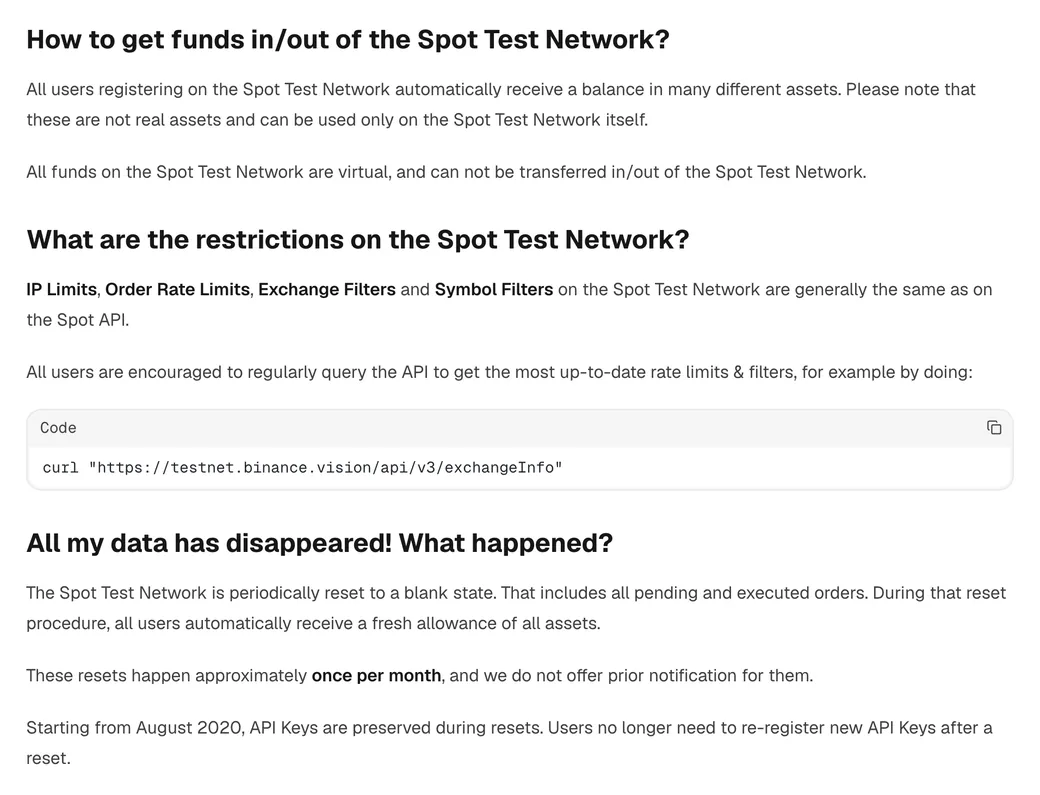
In AI-written code, the thing most worth checking is hard-coded numbers: minimum order quantity, price precision, requests per second. Written into the code as constants, they may hold for one trading pair and not for the next. Have the script read exchangeInfo on startup and correct quantity and price against the filters it returns, with the same logic on testnet and live. That is sturdier than keeping a separate set of constants for each. The testnet is also exactly where you find out how the script backs off when a request is rejected for hitting a rate limit, and whether it starts retrying like mad.
5. Your Data Will Vanish: Roughly Once a Month, With No Warning #
Use the testnet for a while and one day you will find your entire order history gone. The docs even title this question "All my data has disappeared! What happened?", and the answer boils down to this:
- The testnet is periodically reset to a blank state, which clears both open orders and filled ones;
- During a reset, every user automatically receives a fresh balance of all assets;
- Resets happen roughly once a month, with no advance notice;
- Since August 2020, API keys are preserved through resets, so there is no need to create new ones.
A script that assumes the order it placed last time is still open, or that its holdings are whatever it left behind, will break on reset day. When you ask the AI for the script, add one requirement: on every start, query current open orders and balances first, then decide what to do next, rather than trusting state cached locally. Don't keep your own test records only on the testnet either. Any fill results you want to hold on to should go into a local log while the script runs.
One more small detail: the docs say that on the testnet, klines and uiKlines always return the same data. If the AI's logic relies on a difference between the two, the testnet can't verify it.
6. Signing: Who Generates the Key for HMAC, RSA and Ed25519 #
The testnet docs also cover the differences between three types of API key along the way. Which one you pick changes how you have to look after the key material:
| Type | Who generates the signing key | Key points in the docs |
|---|---|---|
| HMAC-SHA-256 | Binance generates the secret for you | When introducing RSA, the docs present RSA as an alternative to it |
| RSA | You generate the key pair yourself, give Binance only the public key, and sign with the private key | 2048 to 4096 bits supported, 2048 recommended; signatures use PKCS#1 v1.5, PSS is not supported |
| Ed25519 | Likewise, you generate the key pair and hand over only the public key | Another asymmetric option alongside RSA |
With RSA and Ed25519, you generate the private key yourself and Binance only ever receives the public key. At the step where you generate the private key, the docs tell you not to share that file with anyone. And anyone includes an AI chat window: when an AI helps you write signing code, showing it the public key format or an error message is fine, but never paste a single character of the private key or the secret. For how far to open permissions on a live key, follow the minimum-permission Binance API setup for AI.
7. Before Switching to Live, Run Through This Checklist #
- Endpoints: every endpoint is read from a single config setting, so going live means changing that one place, with no stray hard-coded address left behind.
- What was never tested: you know which /sapi endpoints the script calls, and you are clear that none of them has ever run on the testnet.
- Filters: quantity and price precision are corrected from
exchangeInfoat runtime, not taken from constants the AI supplied. - State: the script checks open orders and balances on startup and copes with an everything-wiped situation like a testnet reset.
- Keys: the live key is newly created just for this, it has only the permissions this script actually needs, and neither the private key nor the secret has ever been in an AI conversation.
Endpoints, filters, state and keys: these four are best raised while you are asking the AI to write the code, not fixed afterwards in a rework. You can paste the block below in front of your own requirements:
When writing this script that calls the Binance Spot API, it must meet the following four requirements:
1. All endpoint addresses (REST, WebSocket) are kept in a single config setting that defaults to the spot testnet at https://testnet.binance.vision/api; switching to live changes only that one setting, and no hard-coded address may appear anywhere else in the code.
2. On startup, request /api/v3/exchangeInfo first and correct order quantity and price precision against the filters it returns; do not hard-code the minimum order size, price precision or request rate as constants.
3. On startup, query current open orders and account balances first and decide the next step from the results; do not assume that orders or positions left by the previous run still exist.
4. Read the API key, secret and private key from environment variables and never write them into the code; do not ask me to paste them to you either, and use placeholders in every example.
When the AI hands the code back, find the line where each of the four requirements actually lands. Don't wave it through just because it says everything has been implemented as requested; the reasoning is the same as in how to spot when AI is wrong.
Read the minimum-permission API setup →
— PromptDeck, 2026-09-17